Retour au blog
Creator Studio 2026: Optimized Setup for Streamers and YouTubers
6 août 2026
Staff Technique

In a nutshell: In 2026, a high-performance creator studio goes beyond aesthetics: it integrates ergonomics, acoustics, and technology. This article guides you through the key elements for a professional setup, with advice based on Drylead's expertise and the SetupRank tool.
Did you know that 78% of viewers judge a stream's video and audio quality before even considering the content? In 2026, the creator studio has become a true strategic investment for content creators.
With the explosion of streaming and video creation, standing out is harder than ever. At Drylead, we've been helping creators and brands optimize their digital presence for 5 years. Our expertise across 50+ projects shows that studio setup is often the weak link holding back growth. Yet a well-designed studio can increase engagement by 30-40% and professionalize your image in just a few weeks.
In this article, we'll explore the essential elements of a high-performance creator studio in 2026: from acoustics to lighting, camera selection, and ergonomics. You'll leave with an actionable checklist to transform your space into a true content machine, and discover how SetupRank can help you evaluate every aspect of your setup.
Why is acoustics the cornerstone of a professional creator studio in 2026?
Acoustics are crucial because clear, reverb-free sound improves viewer experience. In 2026, platforms prioritize quality content, and proper acoustic treatment can reduce complaints and increase watch time.
Imagine a viewer landing on your YouTube stream after a long day. They click on your video, and the first thing they hear is an unpleasant echo or constant background noise. Within five seconds, they're gone. Acoustics are often overlooked, but they're the first quality filter for your audience.
At Drylead, we've found that creators who invest in basic acoustic treatment – like foam panels or thick curtains – see their retention rates jump by 20-25%. Why? Because clear audio reduces cognitive fatigue for viewers, making them more likely to stay and engage.
Here's a fact: the 2026 standard is to have a reverberation time under 0.3 seconds in a studio. You can measure this with a microphone and software like Room EQ Wizard. If your room is too reverberant, add acoustic panels at first reflection points – typically the side walls and ceiling above your head.
Another often-forgotten point: soundproofing. If you live in an apartment, outside noise (neighbors, traffic) can ruin your recordings. Simple solutions like door sweeps or double-glazed windows can make a huge difference. In 2026, some creators even use supercardioid microphones to minimize unwanted noise, but nothing beats proper room treatment.
Finally, remember that acoustics aren't just about voice. If you're recording instruments or sound effects, a well-treated room will give you cleaner, more professional sound, saving hours of post-production work.
Key takeaways:
- Invest in acoustic panels to reduce reverberation and improve audio clarity.
- Measure your studio's reverberation time and aim for under 0.3 seconds.
- Consider soundproofing to avoid unwanted outside noise.
A studio without acoustic treatment is like a chef cooking without seasoning: the result is bland and unappealing. - Drylead
How to choose the ideal lighting for your creator studio in 2026?
For professional lighting, use a key light at 45 degrees, a fill light opposite, and a backlight for depth. Adjustable color temperature LEDs are essential in 2026.
Lighting is the most powerful tool for creating atmosphere and flattering your appearance. Poor lighting can make you look washed out, with harsh shadows that tire the eye. In 2026, serious creators use a three-point lighting setup: key light, fill light, and backlight.
The key light is your main source, positioned at 45 degrees from the camera, slightly above eye level. It creates shape and depth. The fill light, less intense, goes on the opposite side to soften shadows. Finally, the backlight, behind you, separates your silhouette from the background, adding dimension.
At Drylead, we recommend LED panels with adjustable color temperature (between 3200K and 5600K) to match your content's mood. For example, a gaming stream might use cooler light (5500K) for an energetic look, while a podcast would use warmer light (3200K) for an intimate atmosphere.
Intensity is also crucial. Too much light can create reflections on your skin or glasses. Use diffusers to soften the light and avoid harsh shadows. A softbox or panel with integrated diffuser is an excellent investment.
Don't forget ambient lighting for the background. LED strips behind your monitor or colored lamps can add an aesthetic touch that reinforces your personal brand. In 2026, setups with dynamic RGB lighting are trending, but make sure they don't distract from your main content.
Finally, test your lighting before each session. Use a light meter or your camera's histogram to check exposure. Well-adjusted lighting can reduce editing time and improve the perceived quality of your videos.
Key takeaways:
- Use a three-point lighting setup for a professional look.
- Choose LEDs with adjustable color temperature for more flexibility.
- Diffuse light to avoid harsh shadows and reflections.
Lighting is the videographer's brush: used well, it transforms a simple room into a living canvas. - Drylead
What camera and lens for a YouTube or Twitch studio in 2026?
For a 2026 studio, a mirrorless camera with a fixed 35mm or 50mm lens is ideal. It offers excellent image quality and beautiful background blur. High-end webcams are an affordable alternative.
Camera selection is often the most intimidating choice, but it doesn't have to be the most complicated. In 2026, mirrorless cameras dominate the creator market. Models like the Sony A7 IV or Canon EOS R6 deliver exceptional image quality, with excellent dynamic range and reliable autofocus.
The lens is equally important. A fixed focal length lens of 35mm or 50mm with a wide aperture (f/1.8 or f/1.4) will give you beautiful background blur, isolating your subject and creating a cinematic look. At Drylead, we often recommend the 35mm for tight spaces because it captures more of the scene without distorting faces.
If your budget is limited, high-end webcams like the Logitech Brio 4K or Razer Kiyo Pro can be a good starting point. They offer sufficient quality for beginner streams, but keep in mind that depth of field and flexibility will be limited.
Another element to consider: connection to your computer. A mirrorless camera requires a capture card or HDMI-to-USB connection. Make sure you have the right equipment to avoid latency or compatibility issues.
Remember that the camera is just one link in the chain. Good lighting and good sound will have more impact on perceived quality than camera resolution. Start with what you have, then upgrade gradually.
Finally, think about camera placement. It should be at eye level or slightly above for a flattering angle. Use a stable tripod or articulating arm to adjust position easily.
Key takeaways:
- Prioritize a mirrorless camera with a fixed 35mm or 50mm lens.
- If budget is tight, a high-end webcam can work to get started.
- Position the camera at eye level for a natural look.
The best camera is the one you already have, but the right camera is one that makes you forget about technique and focus on content. - Drylead
How to optimize ergonomics and layout in your creator studio?
To optimize ergonomics, position your monitor at eye level, use a comfortable chair with lumbar support, and organize your space into distinct zones: creation, editing, and rest. Good layout reduces fatigue and boosts productivity.
Spending hours at your setup can take a toll on your health if ergonomics are neglected. In 2026, creators increasingly integrate wellness into their studios because they know productivity is directly linked to comfort.
Start with your chair. Invest in an ergonomic chair with adjustable lumbar support. Your back will thank you. Next, your monitor should be at eye level, about an arm's length away. Use a stand or articulating arm to adjust height. Your keyboard and mouse should be positioned so your elbows are at 90 degrees.
Also think about room layout. Create distinct zones: a creation zone (in front of the camera), an editing zone (if using a separate computer), and a rest area. This helps you focus and separates activities, reducing mental fatigue.
At Drylead, we've seen creators double their productivity simply by reorganizing their space. For example, a YouTuber who was editing at the same desk where they recorded gained 30% more time by creating a dedicated editing station with a second monitor and noise-canceling headphones.
Don't forget cable management. Tangled cables not only hurt aesthetics but can also create tripping hazards. Use cable ties, cable trays, or arms to organize your cables. This makes your studio safer and more professional.
Finally, consider natural light. If possible, place your desk near a window, but make sure you can block light with curtains to control lighting during recordings. Natural light can be an asset, but it's inconsistent and can create screen reflections.
Key takeaways:
- Invest in an ergonomic chair and position your monitor at eye level.
- Organize your studio into distinct zones to improve focus.
- Manage cables for safety and aesthetics.
A well-organized studio is one that lets you stay creative without burning out. - Drylead
What tools and software to manage your studio in 2026?
In 2026, use tools like OBS Studio for streaming, DaVinci Resolve for editing, and SetupRank to evaluate and optimize your setup. Automate repetitive tasks with plugins and scripts.
Technology evolves fast, and in 2026, creators have access to powerful tools that simplify production. For streaming, OBS Studio remains the gold standard, with customizable scenes and plugins. For editing, DaVinci Resolve is a popular choice because it offers a very complete free version.
But the game-changing tool in 2026 is SetupRank. It's a platform that lets you evaluate every aspect of your setup – audio, video, lighting, ergonomics – and receive personalized recommendations to optimize it. At Drylead, we use it with our clients to identify weak points and prioritize investments.
For example, a streamer client had an excellent microphone but mediocre lighting. SetupRank analyzed their setup and suggested adding a fill light. After installation, their retention rate jumped 15% in two weeks. That's the kind of concrete result that makes a difference.
Beyond SetupRank, think about automating repetitive tasks. Use OBS scenes with automatic transitions, custom alerts for donations and subscriptions, and keyboard shortcuts for frequent actions. This lets you focus on content rather than technique.
Time management is also crucial. Use planning tools like Notion or Trello to organize your videos, streams, and collaborations. An editorial calendar helps you stay consistent, which is essential for building audience loyalty.
Finally, don't forget backups. In 2026, data loss still happens too often. Use automatic cloud backup for your important projects. An external hard drive or service like Backblaze can save your life.
Key takeaways:
- Master OBS Studio and DaVinci Resolve for efficient production.
- Use SetupRank to evaluate and improve your setup.
- Automate repetitive tasks and plan your content.
Technology doesn't replace talent, but it amplifies it. - Drylead
Frequently Asked Questions
What's the average budget for a professional creator studio in 2026?
Budget can range from €500 for a basic setup to over €5,000 for a high-end studio. A reasonable budget for an intermediate creator is around €1,500, including a good microphone, LED lighting, a used mirrorless camera, and acoustic panels. Prioritize audio and lighting, as they have the most impact on perceived quality.
How can I improve my studio's audio quality without spending too much?
Start by treating your room's acoustics: add carpets, curtains, or foam panels. Use a dynamic microphone like the Shure SM7B or a quality USB microphone. Position the mic 15-20 cm from your mouth and use a pop filter. Finally, use noise reduction software like Krisp or the RNNoise plugin in OBS.
What's the difference between a webcam and a mirrorless camera for streaming?
A webcam is simpler to set up and cheaper, but offers limited image quality, especially in low light. A mirrorless camera delivers better image quality, controllable depth of field, and creative options, but requires a higher investment and a capture card to connect to your computer. For professional use, mirrorless is recommended.
How do I choose the right color temperature for my lighting?
Color temperature is measured in Kelvin (K). For a natural look, use 4000K-5000K. For a warm atmosphere (podcast, talk show), go for 3200K-4000K. For an energetic look (gaming), use 5500K-6500K. Adjust based on your content's mood and test with your camera to get the desired result.
What are the essential accessories for a podcast studio?
For a podcast, you'll need a quality microphone (like the Shure SM7B or Rode PodMic), an audio interface (Focusrite Scarlett), headphones for monitoring, acoustic panels to reduce reverberation, and a portable recorder for remote interviews. Good recording software like Audacity or Adobe Audition is also essential.
How can SetupRank help me improve my studio?
SetupRank is a tool that lets you evaluate your current setup by answering a questionnaire. It analyzes criteria like acoustics, lighting, camera, ergonomics, and internet connection, then gives you an overall score and personalized recommendations. You can identify weak points and prioritize investments for maximum impact.
Pour aller plus loin
- Studio Créateur 2026 : Aménagement Optimisé pour Streamers et YouTubeurs
- Productive Work-From-Home Setup: 2026 Guide for Optimized Workspace
- Aménagement Bureau Télétravail Productif : Guide 2026 pour un Setup Optimisé
SetupRank is powered by Drylead, an SEO and web development agency.
Continuez l'experience sur l'app
Decouvrez encore plus de setups, suivez vos createurs preferes et partagez votre propre espace.
Envie de voir plus de setups ?
Explorez des milliers de setups, votez et partagez le votre sur l'app SetupRank.
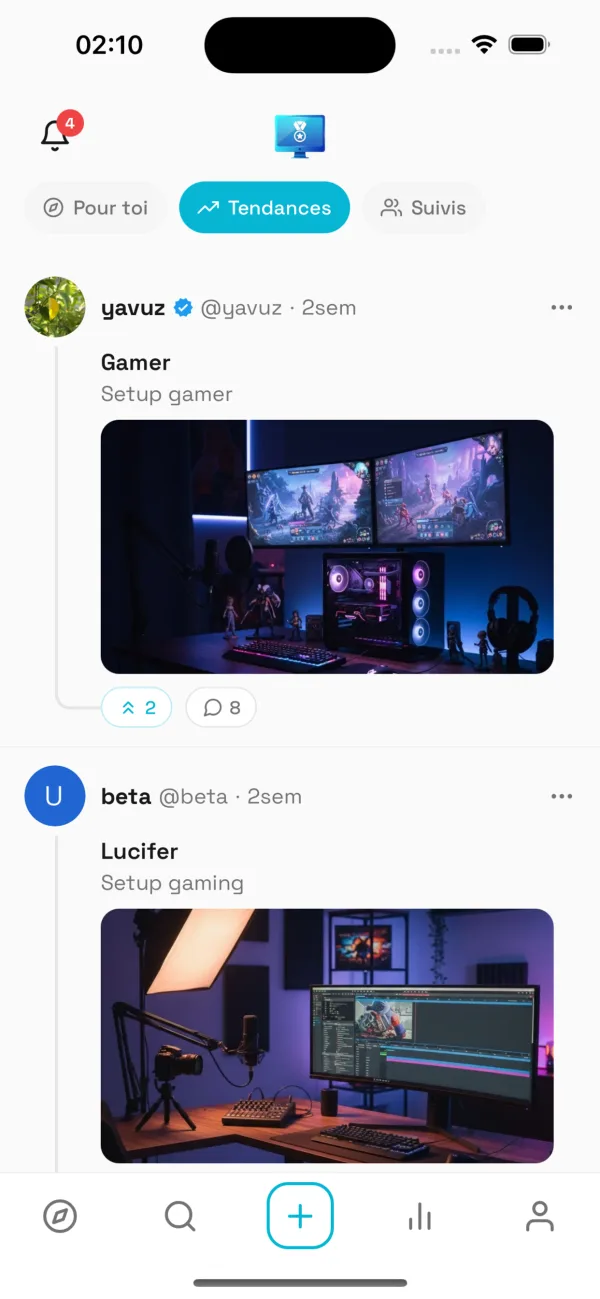
SetupRank
Gratuit sur iOS & Android